
AI coding assistants are tools designed to help developers write code more efficiently. They enhance the coding process through real-time suggestions, code completion, and automated reviews. These tools can integrate seamlessly with popular development environments. They use advanced algorithms to enhance coding tasks, making software development faster and more efficient. Various options are available, ranging from closed-source products to open-source projects.
The best AI coding assistant tools
Bolt AI
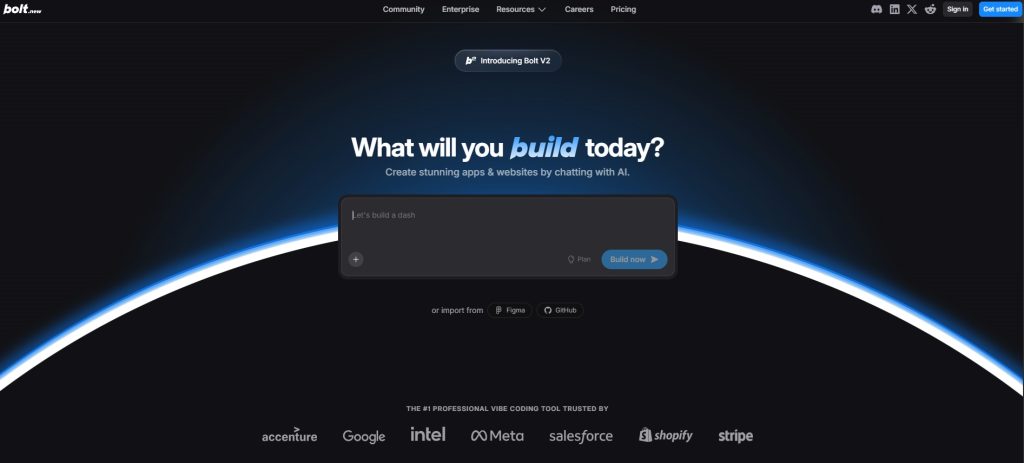
Bolt is pretty cool; it’s an AI coding platform that runs right in your browser. It uses StackBlitz WebContainers, and get this: you can actually build whole full-stack applications just by describing them in plain English. You can do everything right in your web browser. That means installing what you need, running your code, and even launching your projects, all without having to set up a single thing on your own computer.
Bolt is pretty good because you can tell it what you want, and it just makes it happen as a working app. Just tell it what you want to create, and it’ll whip up the frontend, backend code, and the whole project layout for you. It also comes with built-in integrations for things like Netlify, which is great for getting your stuff out there, and Supabase if you need backend services. Stripe handles payments, and you can use GitHub for working with others, making it really handy for quick projects and trying out new ideas. Bolt is really good for just getting your ideas going quickly.
This is great for trying out ideas, creating basic versions of products, or just showing folks how apps are put together as they’re being built. Since it all takes place right in your browser, it’s a really convenient way to learn and teach about current web development ideas. That said, Bolt does have limitations.You can only use it inside its own editor; you can’t hook it up to other IDEs like VS Code. It’s also not meant for big, serious projects because it just isn’t strong enough to handle really complicated code.
It’s still in beta, so you might run into a few small bugs or less accurate answers when you use the more complex prompts. I tried Bolt out myself and made a little app for tracking sessions, i called it FocusFlow. We made the app so people could log their work, keep their tasks straight, and save their data to look at again later.It was really quick getting things going with Bolt. It put together the project setup fast, got all the dependencies in place, and even built the main parts like the task form and timer. That made starting development super smooth.
GitHub Copilot
I’ve been using GitHub Copilot in VS Code for a few months, and honestly, it’s become a pretty important tool for me to get things done faster. I tried it out, asking for a Terraform config to set up a Google Cloud Storage bucket.
In just a few seconds, it churned out a completely functional setup, including versioning, variables, and all the standard stuff. That really upped my game in ways I didn’t see coming. I’m a big fan of the inline code suggestions and the new chat feature. It’s really handy to ask for help, debug, or get code explanations right there in my editor.
It’s great because you can use it with lots of different languages and coding environments, giving you a lot of flexibility. Yeah, I mean, it’s pretty good, but it’s got its flaws. So, the code it makes can sometimes be a bit clunky or just say the same thing over and over. And, it’s not always super good at finding those tricky, unusual situations, particularly when it comes to tests.
Cursor
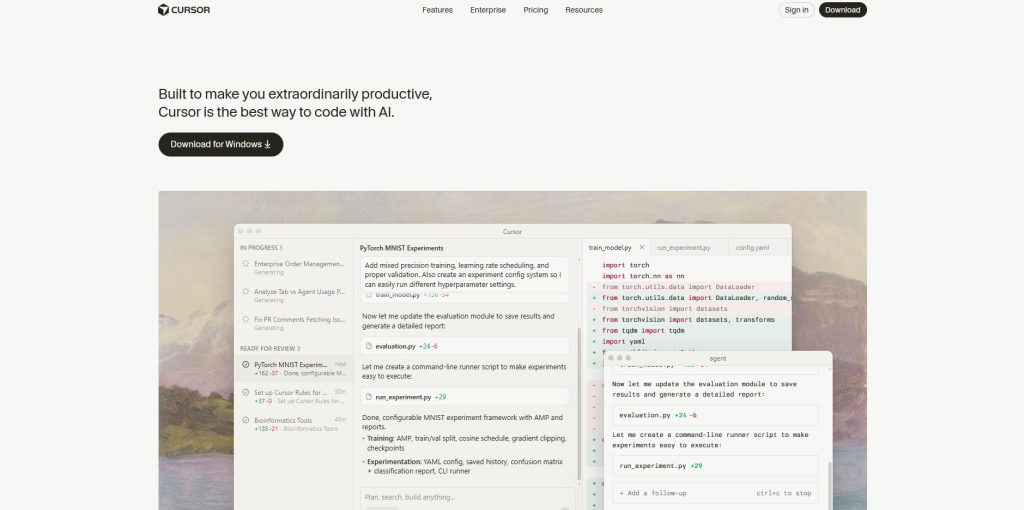
I’ve been checking out Cursor lately, and yeah, it does kinda take a minute to get the hang of it. But honestly, it’s probably the best AI-first code editor I’ve messed with so far.
It’s made right on top of VS Code, and what’s cool is it brings in a lot of AI stuff things like editing with regular language or changing multiple files at once. It just feels really useful for what you do every day. Having the AI chat and code right next to each other is a game-changer.
I’ve found it super handy for debugging, banging out tests, and even jotting down notes about functions spread out in different files. You can switch from doing things yourself to letting the system handle them, using modes like Composer or Agent, which is great for different tasks. It’s true, picking it up can be a bit of a challenge at first.
Cursor just feels a bit more technical right away, especially when you compare it to other tools that are really easy to get started with. “Once you figure it out, though, it can really do a lot.” I also like how flexible it is; it supports Claude 3.5, GPT-4, and you can even just plug in your API keys if you want. “For serious dev work, it’s becoming a favorite in my stack.”
JetBrains AI Assistant
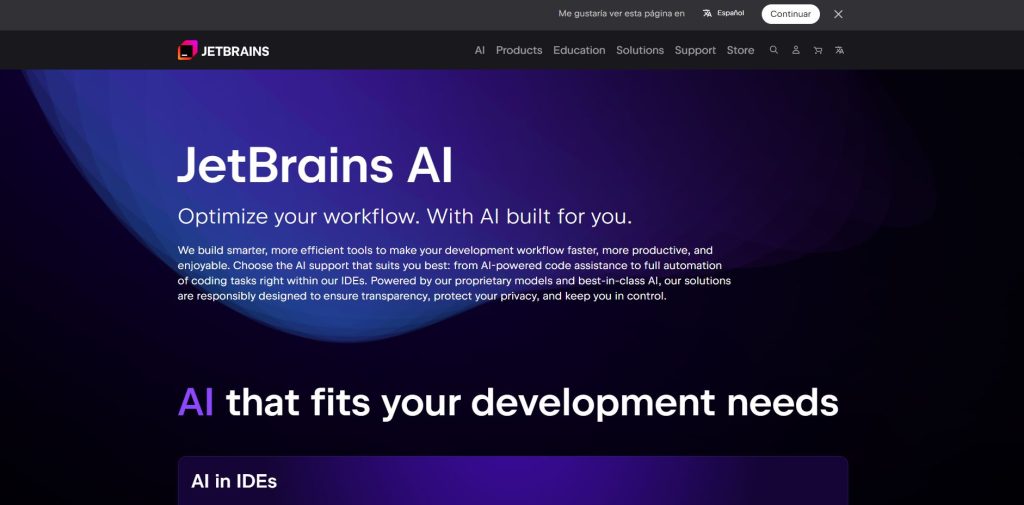
I’ve been playing around with JetBrains AI Assistant in PyCharm, and what really gets me is how smoothly it just fits right into the IDE. This AI tool actually feels like it was made with professional developers in mind, unlike other, more general AI tools out there.
You get a whole bunch of helpful stuff, like code completion that actually understands your code and even analysis that looks at your entire project, and it’s all right there in your editor. I’ve really come to rely on the inline prompts and refactoring suggestions; they’ve genuinely saved me a lot of time whenever I’m tidying up older code.
It’s also really good at creating documentation and commit messages, and I really appreciate that it works with local models through Ollama, which is a major advantage for projects where privacy is a priority.It just clicks better than Copilot, especially since it’s already right there if you are a JetBrains IDE user.
The main thing to keep in mind is that this AI assistant works best if you’re already caught up in their system. But hey, if you’re already in that world, it’ll feel like it was born to be part of the stuff you rely on daily.
Windsurf
I’ve been checking out Windsurf, and honestly, it’s fast becoming one of the most complete AI-native IDEs I’ve gotten my hands on. This new thing we made is the next big step after our Codeium extensions.
It basically combines a complete dev setup with really smart AI help, all thanks to the Cascade AI Assistant. I really like that it mixes working together in real-time with AI help. It gives smart suggestions based on what you’re doing and has strong support for things like Git, SSH, and even Dev Containers.
The autocomplete and Super Complete features really get what I’m trying to make; it’s more than just guessing the next word. It also works with many different large language models, including GPT-4o and Claude 3.5, and it even lets you drop in screenshots for the AI to interpret, which is a surprisingly useful touch.If you’re after something stronger than just an AI plugin dropped into your IDE, Windsurf seems like a full environment that really gets how developers operate.
Cline
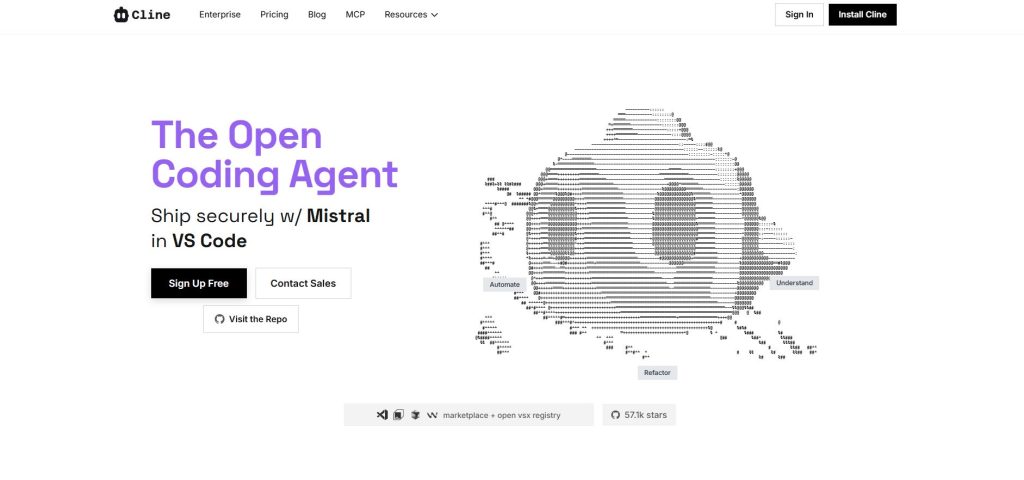
Using Cline in VS Code has been a game-changer; it’s not just another autocomplete tool, it really gets what I’m working on within my project. What makes this special is its memory bank.
That system helps it remember code and how a project is set up, even when you come back to it later. That’s really helped me out when I need to switch between features or go back to older files. With Plan and Act modes, you can do things like create or change files, run commands in your terminal, and even sort out UI issues by looking at screenshots—all right from your IDE.It feels like there’s always an assistant right there, understanding exactly how you like to work.
Cline lets you do a lot with models; it’s quite flexible. I’ve tried it out with OpenRouter and even on my own computer using Ollama, and it’s been pretty solid.If you’re looking for an AI assistant that really fits into VS Code and understands your setup, Cline is a seriously capable option.
Xcode AI Assistant
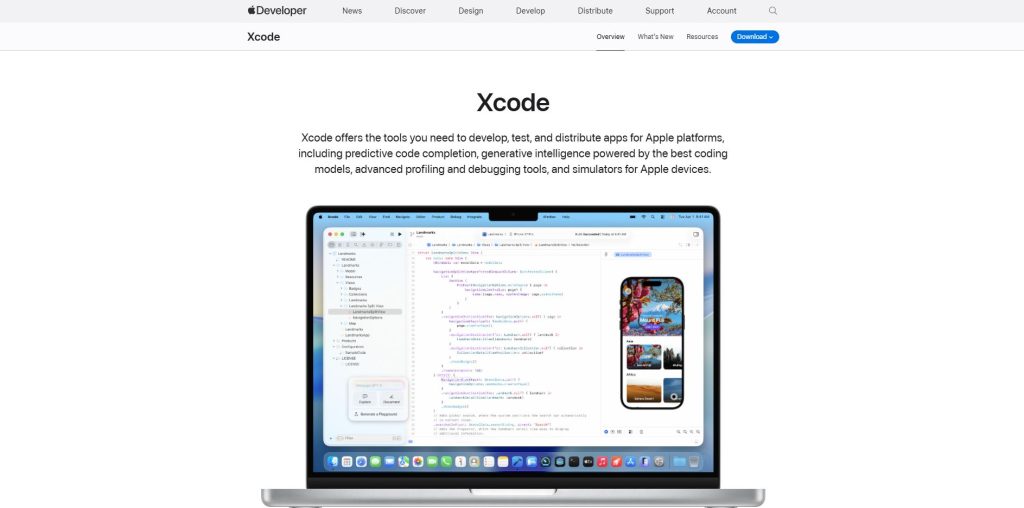
The new AI tools in Xcode 16? Yeah, I’ve been giving them a try. They’re definitely in the early stages, but for simple Swift and SwiftUI stuff, they’ve actually been pretty useful. This assistant runs right on your computer, so all your stuff stays private. I didn’t even need to set a single thing up; it just worked perfectly on my Mac from the moment I started it.
It’s really good for whipping up boilerplate, getting some preview data, or just quickly putting things together, particularly if you’re using those comment prompts. It even picks up on my coding patterns and gives me good suggestions.
But, it’s not as strong or adaptable as tools like Copilot or Codeium, especially when you are coding in different languages.If you’re all-in with Apple and mostly coding in Swift, the AI they’ve got built-in is a really great place to begin. It’s super easy—no fuss at all—and it keeps your stuff private, which is a big plus.
Aider
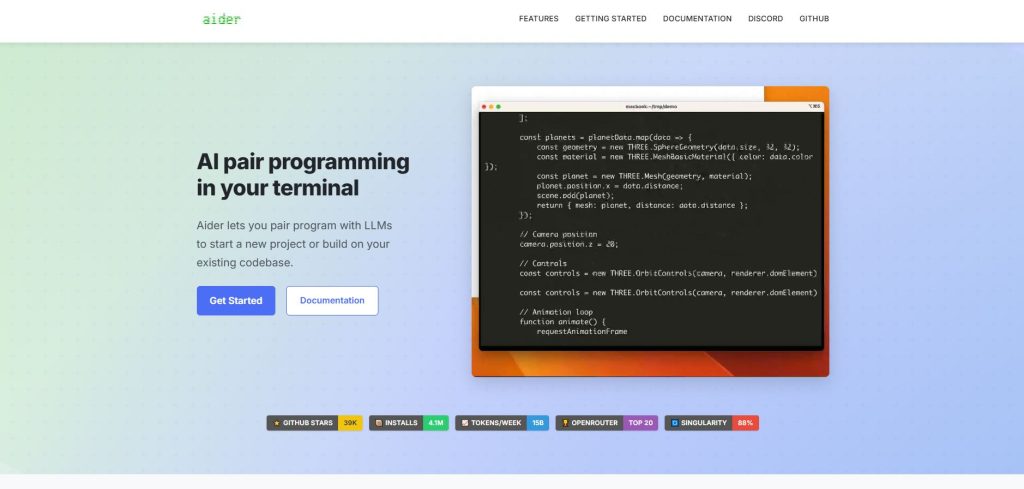
I’ve been playing around with aider, and it’s seriously one of the coolest tools I’ve found for coding right there in the terminal. I really like how aider lets me do AI pair programming right from the command line instead of having to use an IDE.
It just fits so well with how I usually work with Git. What really gets me is how well it works with Git—it just handles committing changes automatically, always with helpful messages. And checking diffs with that AI context? It’s really sped up my workflow and made everything feel a lot cleaner.
I’ve actually used it to clean up files across my entire repository, and it’s been really good for checking out new code I’m not familiar with, especially using its “ask” feature. It can also handle changes across multiple files, help you plan things out, and even take voice commands, which is pretty wild. It totally has a learning curve, but if you’re a developer always in the terminal, and you want AI stuff without ever leaving your shell, aider is a really powerful and flexible tool.
Understanding AI Coding Assistants
AI coding assistants represent a significant innovation in software development, facilitating various tasks in the coding process. This section delves into their definitions, core functions, integration methods, and the role of advanced language models in making coding simpler and more efficient.
Definition and Core Functions
Basically, AI coding helpers are there to make developers more productive by making everyday programming tasks simpler. “You can get these from the tools:”When typing, the system offers code suggestions right as you write. You know how sometimes a program can just guess what you’re trying to type and finish it for you? That’s code completion.
It’s really handy because it looks at what you’ve written so far and offers suggestions for how to wrap up a line or even a whole chunk of code, making things a lot faster. Finding bugs automatically: It spots possible mistakes in your code even before you run it.We write documents about the code after looking at how it’s all put together.
These tools let developers hand off the boring, repetitive stuff, so they can really dig into the tougher, more interesting parts of designing software. The idea is that they work with human coders, not instead of them. This way, things get done quicker and with fewer mistakes during development.
Integration with IDEs and Development Platforms
One of the key features of AI coding assistants is their ability to integrate seamlessly with Integrated Development Environments (IDEs) and other development platforms. This integration occurs through:
- Plugins and Extensions: Most AI coding assistants offer plugins for popular IDEs like Visual Studio Code, JetBrains, and Eclipse, enabling direct access to their features.
- Real-Time Feedback: Integration allows for immediate code suggestions and corrections throughout the coding process, ensuring developers receive support as they work.
- Collaboration Tools: Many assistants include features that facilitate collaboration among team members, sharing insights and suggestions in a common workspace.
This level of integration not only makes tools more accessible but also enhances the overall user experience, fostering an environment conducive to efficient coding and verification.
Role of Large Language Models (LLMs) in Code Suggestions
Large Language Models (LLMs) play a pivotal role in AI coding assistants, serving as the backbone for generating insightful and relevant code suggestions. These models utilize vast amounts of training data to understand programming languages and context. Key functions of LLMs include:
- Contextual Understanding: LLMs can analyze the existing code and discern its purpose, leading to more accurate suggestions tailored to the specific coding scenario.
- Natural Language Processing: They enable users to interact with coding assistants using plain language commands. This makes it easier for developers to communicate their needs without delving into technical jargon.
- Dynamic Learning: LLMs continuously improve through user interactions, adapting their suggestions based on the collective input of users over time.
The incorporation of LLMs into coding assistants not only enhances their functionality but also improves user engagement, making coding more intuitive and accessible than ever before.
Categories of AI Coding Assistant Tools
AI coding assistant tools can be broadly classified into two main categories: closed-source products and open-source projects. Each category offers distinct features and advantages, catering to different needs within the software development community.
Closed-Source Products
Closed-source AI coding assistants are typically developed by major tech companies. These tools tend to offer refined user experiences and robust features, often at a price. Users may prioritize security and support when opting for closed-source tools.
Features and Capabilities
Closed-source products often come with a variety of features designed to enhance coding efficiency. Users can expect real-time suggestions, code completion, and advanced debugging tools. Moreover, these assistants frequently integrate seamlessly with popular Integrated Development Environments (IDEs), providing a streamlined workflow.
Security and Privacy Considerations
Developers who work with closed-source stuff really care about how secure the code is.Plenty of businesses pause before using cloud assistants because they’re worried about security issues. So, tools have put in place privacy settings and ways to meet regulations. This helps keep important code data safe, which is a big deal for bigger companies.
Pricing and Licensing Models
Pricing for closed-source AI coding assistants varies widely based on features and functionalities. Licensing models can include subscription-based access, one-time fees, or tiered pricing depending on the size of the development team. Companies must consider their budget and the value provided by these tools when making a decision.
Open Source Projects
In contrast, open-source AI coding assistants provide great flexibility and the opportunity for customization. Being publicly available, they allow developers to tailor the tools to their specific needs and contribute to their ongoing improvement.
Flexibility and Customization
Open-source coding assistants enable developers to modify the software to suit their preferences. This adaptability appeals to teams looking for specific features or those wanting to enhance existing functionality. Developers can also adjust the tool’s performance based on project demands, offering a highly personalized user experience.
Community Support and Development
Many open-source projects benefit from robust community support. These communities can be vital for troubleshooting, sharing best practices, and obtaining updates. Developers engaging with their peers within these communities can collaboratively improve the software, often resulting in rapid advancements and bug fixes.
Use Cases for Open Source Tools
The use cases for open-source AI coding assistants are expansive. They are particularly advantageous in educational environments, where students can explore coding concepts without significant financial pressure. Furthermore, these tools can be effectively utilized by startups and smaller teams that require scalability without high costs.
Leading AI Coding Assistant Tools in 2026
The landscape of AI coding assistants has evolved significantly in 2026. Numerous tools have emerged, each tailored to enhance the coding experience through innovative features and advanced capabilities. Below are some of the leading AI coding assistant tools making waves this year.
GitHub Copilot
GitHub Copilot remains a frontrunner in the AI coding assistant market, enhancing the coding workflow for developers around the globe.
Integration and Language Support
This tool integrates seamlessly with multiple integrated development environments (IDEs) such as Visual Studio Code and JetBrains. It provides extensive support for various programming languages, enabling developers to receive tailored suggestions relevant to their specific coding context.
Real-Time Code Generation and Suggestions
One of Copilot’s standout features is its real-time code generation capability. As developers write code, Copilot offers smart suggestions, allowing for faster coding and reducing the likelihood of errors. This immediate feedback loop transforms the developer experience into one that is more dynamic and efficient.
Enterprise Features and Privacy Controls
For organizations, GitHub Copilot offers enhanced privacy controls and enterprise features. This includes customizable settings to ensure that proprietary code remains secure while still benefiting from AI assistance. These features are crucial for teams looking to utilize AI tools without compromising their intellectual property.
Amazon Q Developer
Another significant player is Amazon Q Developer, which showcases cutting-edge features tailored for complex coding projects.
Multi-Agent Code Assistance
This tool employs a multi-agent system that can work collaboratively on various coding tasks. Each agent specializes in a different aspect of the development process, enabling a more comprehensive approach to coding assistance. This is particularly advantageous for large-scale projects.
Security and Compliance in AWS Environment
Given its integration with Amazon Web Services (AWS), Amazon Q Developer emphasizes security and compliance. It is designed to operate within strict regulatory frameworks, making it ideal for industries with stringent security requirements.
Automated Code Review and Documentation
The tool’s automated code review capabilities significantly enhance code quality. Developers benefit from structured documentation generated alongside their work, ensuring that teams have the resources they need for effective collaboration.
Google Gemini Code Assist
Google’s offering, Gemini Code Assist, leverages advanced machine learning methodologies for exceptional coding support.
Gemini Language Model Optimization
Utilizing the optimized Gemini language model, this tool provides remarkably precise code completions. Its deep understanding of programming languages enhances the accuracy of suggestions, making the coding process smoother for developers.
Code Completion and Natural Language Queries
Gemini Code Assist excels at interpreting natural language queries, allowing developers to describe what they need in plain English. This feature enables enhanced interaction with the tool, streamlining the coding process.
Citation and Verification Features
Another notable feature is its ability to provide citations and verification for suggested code. This allows developers to quickly validate code snippets against established practices and repositories, facilitating a more responsible coding environment.
Tabnine
Tabnine continues to be a popular choice for many developers, particularly those focused on privacy and customization.
Personalized Code Suggestions
This tool stands out due to its ability to learn from individual users’ coding styles. By analyzing personal coding patterns, Tabnine provides customized suggestions that resonate more closely with the developer’s existing work, leading to an enhanced productivity level.
Privacy-Focused Code Completion
Privacy is a central theme for Tabnine. The tool operates with a strong emphasis on protecting user data, ensuring that the code remains confidential during interactions. This makes it particularly suitable for sensitive projects.
Support for Teams and Individual Developers
Whether for solo coders or larger teams, Tabnine offers versatile solutions that cater to varying needs. Its adaptability ensures that all users can benefit from AI-enhanced coding assistance.
Devin by Cognition AI
Cognition AI’s Devin has emerged as an innovative tool focusing on task automation via natural language processing.
Natural Language Commands and Task Automation
Devin allows developers to execute commands using natural language, streamlining the coding process. This capability means that developers can focus on higher-level system design while Devin handles repetitive tasks efficiently.
Online Resource Integration
The tool integrates with various online resources, enabling Devin to fetch relevant information as needed. This supports developers in making informed decisions while coding, enriching their overall experience.
Adaptability through User Feedback
One of Devin’s unique features is its adaptability based on user feedback. As developers interact with the tool, it learns and refines its suggestions, becoming increasingly effective in supporting the user’s workflow.
Cursor
Cursor represents a new surge of cloud-based coding assistants with its innovative features and user-friendly design.
Cloud-Based IDE Integration
As a cloud-based solution, Cursor provides easy integration with web IDEs, facilitating access from any location. This approach is especially useful for remote teams collaborating across different geographical areas.
Agent Mode for Automated Project Generation
Cursor’s agent mode allows for automated project generation based on user-descriptions. This can significantly speed up the initial stages of development, enabling teams to hit the ground running.
Context-Aware Code Suggestions and Chat Support
The tool’s ability to offer context-aware suggestions enhances the coding experience significantly. Additionally, integrated chat support provides developers with immediate assistance, ensuring that help is readily available when needed.
Key Features to Evaluate in AI Coding Assistants
When choosing an AI coding assistant, understanding its core features is essential to ensure it meets the specific needs of a development team. Several aspects play a crucial role in the effectiveness and usability of these tools.
Intelligent Code Completion and Suggestions
The capability of an AI coding assistant to provide intelligent code completion significantly impacts a developer’s productivity. This feature involves suggesting entire lines or blocks of code based on the context and syntax being used. A strong assistant should learn from the coding patterns of the team, enhancing its suggestions over time.
Moreover, the quality of the suggestions is crucial. The assistant should offer relevant and efficient solutions while minimizing errors. This can lead to a reduction in development time, as developers can complete tasks more quickly with the right recommendations.
Automated Code Review and Quality Improvement
A robust AI coding assistant provides automated code review capabilities that help maintain code quality. This involves analyzing code for potential bugs, style inconsistencies, and optimization opportunities. With a thorough review process, teams can reduce the likelihood of errors that may arise during deployment.
These tools can generate reports highlighting areas of improvement, thereby enhancing overall software performance. By consistently using such features, teams can foster a culture of quality-centric development, leading to cleaner, more maintainable codebases.
Support for Multiple Programming Languages
Flexibility in programming languages is another vital feature. An AI coding assistant should support various languages to accommodate diverse projects and team preferences. This adaptability allows teams to seamlessly work across different codebases without switching between tools.
Moreover, having multiple language support promotes a streamlined workflow, as developers can remain focused regardless of the specific programming language they are using. This is particularly beneficial for companies working on multidisciplinary projects, where different languages may be required simultaneously.
Connectivity and Integration with Development Tools
An effective AI coding assistant should integrate effortlessly with existing development environments and tools. This interoperability enhances user experience, as developers can utilize their preferred platforms without disruption. Such connections simplify workflows by consolidating tasks within familiar interfaces.
Features like version control system integration and communication tools (like Slack or Microsoft Teams) elevate collaboration. This allows teams to leverage the coding assistant’s features while maintaining an efficient development process alongside their usual workflow.
Privacy, Security, and Data Retention Policies
In an age where data breaches are prevalent, the privacy and security features of an AI coding assistant are paramount. Assessing how a tool manages user data, implements security protocols, and complies with relevant regulations is crucial for businesses concerned about confidentiality.
Additionally, policies regarding data retention should be clear. Developers need to understand how long their data will be stored and what measures are in place to protect sensitive information. A trustworthy assistant will provide robust security features while ensuring that user data is not misused.
Pricing Plans and User-Based Licensing
The cost structure of AI coding assistants can vary significantly, making it an essential aspect to evaluate. Understanding the pricing plans, including subscription models and on-premise options, will allow organizations to make informed financial decisions.
User-based licensing is also a critical consideration. Some tools offer tiered pricing based on the number of users or features required. Organizations should analyze their team size and project scope to choose the plan that provides the best value while meeting their specific needs.
Use Cases for AI Coding Assistants
AI coding assistants have significantly transformed the development landscape, offering a diverse range of applications that enhance productivity and streamline processes. From automating mundane tasks to optimizing code quality, their capabilities are vast and varied.
Code Generation and Completion
One of the primary advantages of AI coding assistants is their ability to generate code snippets and complete blocks of code efficiently. This functionality saves considerable time and reduces the likelihood of human error. Developers can focus more on high-level design rather than syntax and structure.
- Automatic code suggestions based on context help maintain coding standards.
- Intelligent autocompletion features reduce time spent on routine coding tasks.
- Incorporating AI-assisted code generation can enhance creativity by allowing developers to quickly experiment with various coding solutions.
Code Review and Quality Assurance
AI tools play a crucial role in the code review process by automatically analyzing code for bugs, style inconsistencies, and other potential issues. This ensures that developers adhere to best practices and enhances overall code quality.
- Many AI assistants provide real-time feedback, enabling developers to make immediate corrections.
- They can highlight problematic areas of code, making it easier for teams to address issues before deployment.
- Automated checks for code quality standards reduce the strain on human reviewers, allowing them to focus on more complex problems.
Automated Test Generation and Coverage Analysis
Generating tests efficiently can often be a cumbersome part of development. AI coding assistants can aid in the creation of tests, enhancing test coverage through intelligent suggestions that align with the logic of the code.
- They can automatically generate unit tests for various functions based on identified code paths, ensuring more thorough testing.
- By analyzing historical data, AI tools suggest specific tests that should be prioritized to cover high-risk areas of the application.
- This allows teams to achieve better test coverage while freeing developers to concentrate on strategic testing approaches.
Documentation and Collaboration Support
Keeping documentation up-to-date can be a challenging task in software development. AI coding assistants can help automate the documentation process, ensuring that code changes are accurately reflected in related documents.
- Automatically generated comments and explanations can assist developers in understanding complex codebases quickly.
- These tools can facilitate better collaboration by providing clear insights into code changes and their implications.
- By maintaining chronological updates of code changes, teams can leverage AI to generate release notes or progress reports seamlessly.
Training and Skill Development for Developers
The integration of AI coding assistants can serve as an educational resource for developers at different skill levels. They provide real-time suggestions that can help learning, propelling both novice and experienced programmers toward enhancing their expertise.
- Junior developers benefit from context-specific advice that aids understanding of programming concepts.
- More experienced coders can sharpen their skills by exploring alternative coding strategies suggested by AI.
- Incorporating AI into coding environments promotes continuous learning and adaptation to emerging programming trends.
Best Practices for Using AI Coding Tools
Effective utilization of AI coding assistants can significantly enhance the programming experience. Implementing best practices ensures developers maximize their potential while minimizing risks.
Maximizing Productivity with Context-Aware Suggestions
Leveraging context-aware suggestions is essential for improving workflow efficiency. These tools analyze the existing codebase and provide recommendations tailored to the current task at hand. To fully benefit from this feature, developers should:
- Ensure that their coding environment is set up to provide sufficient contextual information, such as variable names, function definitions, and comments.
- Regularly update their coding assistants to ensure access to the latest improvements in algorithms and functionalities.
- Engage with the AI by providing clear comments and documentation, which helps the tool understand intent and deliver more relevant suggestions.
By creating a conducive atmosphere for context-aware interactions, productivity can be significantly enhanced, translating to quicker project completion times and improved code quality.
Managing Code Privacy in Team Environments
In collaborative settings, safeguarding intellectual property and sensitive code is a top priority. Implementing strategies to manage code privacy is crucial, especially when utilizing AI tools that operate in cloud environments. Teams should consider the following approaches:
- Utilize AI tools with robust privacy policies that ensure data security and prevent unauthorized access.
- Establish clear protocols on what types of code or data can be processed by AI tools to mitigate risks.
- Monitor and audit the usage of AI assistants to identify any potential breaches or misuse of sensitive information.
These measures contribute to a secure coding environment, allowing teams to benefit from AI tools without compromising their codebase.
Combining AI Assistance with Manual Code Review
While AI coding assistants provide valuable insights and suggestions, human oversight remains essential. Combining AI assistance with manual review processes can lead to better outcomes and enhance overall code quality. To achieve this balance, developers should:
- Use AI-generated suggestions as a starting point, followed by thorough verification and adjustments based on personal expertise and team standards.
- Encourage team members to share knowledge and best practices during code review sessions, particularly focusing on how AI tools were utilized.
- Document the rationale behind code changes suggested by AI to facilitate future understanding and learning within the team.
This dual approach not only improves code quality but also ensures that human judgment complements AI capabilities.
Continuous Learning and Feedback Integration
AI coding tools evolve rapidly, making continuous learning essential for developers. Staying updated with the latest features and capabilities of such tools can lead to better integration into daily workflows. Developers are encouraged to:
- Participate in workshops, webinars, or online courses focusing on AI tools to enhance their familiarity and expertise.
- Provide feedback to tool developers regarding usability issues or desired features, contributing to the refinement and evolution of the software.
- Engage with developer communities to share experiences, tips, and insights about effectively using AI coding assistants.
Integrating continuous learning with feedback mechanisms creates a culture of innovation and improvement, ensuring that teams remain at the forefront of technology and best practices.
Future Trends in AI Coding Assistant Technology
The landscape of AI coding assistants is evolving, reflecting advancements in technology and the increasing complexity of software development. Emerging trends promise to enhance productivity, security, and overall efficiency for developers.
Multi-Agent Systems for Development Automation
One of the most exciting developments is the shift toward multi-agent systems. These systems consist of specialized agents that collaborate to tackle different aspects of coding tasks. Each agent is equipped with a specific skill set, enabling a more efficient division of labor.
- Agents can handle various tasks such as code generation, debugging, and documentation simultaneously.
- These systems can gather and analyze feedback from one another, improving their performance over time.
- The automation of mundane tasks allows developers to focus on more strategic and creative aspects of software design.
Enhanced Natural Language Programming Interfaces
The integration of natural language processing (NLP) into coding assistants is on the rise. This advancement allows developers to communicate with coding assistants in a more intuitive manner, using everyday language instead of complex coding syntax.
- Such interfaces enable users to issue commands, ask for code snippets, or inquire about coding practices naturally.
- The ability to process natural language also assists in generating more contextually relevant code suggestions.
- This change reduces the learning curve for new developers and enhances overall accessibility to coding resources.
Integration of AI with Enterprise Collaboration Tools
Another trend is the seamless integration of AI coding assistants with enterprise-level collaboration platforms. This shift facilitates better coordination among team members and enhances workflow efficiency.
- AI assistants can provide real-time updates on code changes, ensuring that all team members are aligned.
- Through integration with project management tools, they can automate task assignments based on code-related discussions.
- This connectivity not only streamlines processes but also promotes a more collaborative environment for Developers.
Advances in Security and Zero Data Retention Models
As security remains a paramount concern in software development, future AI coding assistants are expected to adopt more robust security measures and data management policies. Innovations in zero data retention models will ensure that user data is not stored unnecessarily, enhancing privacy.
- New models will allow users to control their data more effectively, providing options to delete information after use.
- Enhanced encryption methods will also be implemented to protect sensitive code from unauthorized access.
- Such advances will foster greater trust among users, encouraging broader adoption of AI coding technologies.

